
It’s the most awkward dance in the corporate world.
You send an email: “Let’s meet next week.”
They reply: “Sure, what time?”
You reply: “Here is my Calendly link.”
And then… silence.
For many executives and high-value clients, receiving a naked scheduling link feels dismissive. It says, “My time is more important than yours; you do the work of finding a slot.”
In 2026, you don’t have to choose between efficiency and etiquette. You can use AI Executive Assistants that live in your email, negotiate times politely, and book the meeting—without you ever sending a generic link.
In this guide, I will show you how to automate your calendar while looking like a VIP.
Table of Contents
The Problem: Why “Naked Links” Kill Deals
The internet is divided. Half the world loves Calendly; the other half hates it.
The Issue: Sending a link shifts the labor to the other person.
The Fix: Real executive assistants don’t send links; they say, “John is free Tuesday at 2 PM or Wednesday at 10 AM. Do either of those work?”
AI tools can now replicate this “White Glove” service. They scan your calendar, find free slots, and write a polite email listing specific times. If the other person replies, the AI reads the reply and sends the invite. You do nothing.
Solution 1: The “Project Manager” (Motion)
Best For: Busy executives who need task management.
How it works: Motion doesn’t just book meetings; it reshuffles your entire day. If a meeting runs late, it automatically moves your “Focus Work” block to tomorrow.
The “No-Link” Feature: It has a “Snippet” tool that instantly pastes: “I’m free Mon 2-4pm and Tue 10-11am” into your email. It looks like you typed it manually, but it took one click.
Solution 2: The “Defender” (Reclaim.ai)
Best For: Google Calendar users who want work-life balance.
How it works: Reclaim blocks time for “Lunch” and “Decompression” automatically.
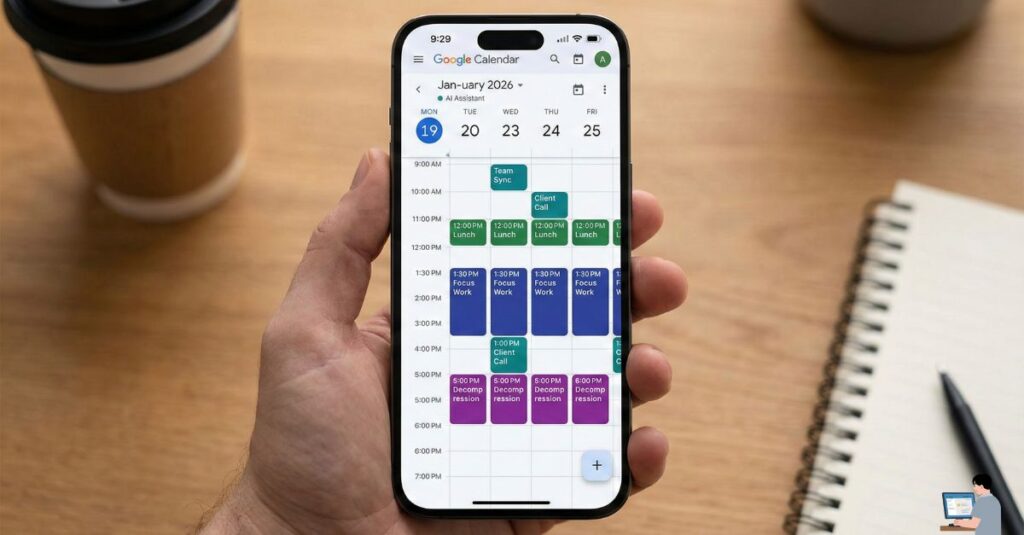
The Feature: It offers “High Priority” links. If a VIP client clicks this link, Reclaim will automatically move your internal 1:1 meeting to make room for the client. You get the meeting, and your team gets rescheduled automatically.
Solution 3: The “Human Clones” (Clara & Scheduler AI)
Best For: The ultimate status flex.
This is the closest you can get to a real human assistant. You don’t send a link; you CC the AI in the email thread.
How it works:
- You receive an email asking for a meeting.
- You reply: “I’ve CC’d my assistant Clara to find a time.” (You actually CC
clara@yourdomain.com). - The Magic: The AI reads the thread, emails the client directly to negotiate a time, sends the invite, and adds the Zoom link. You never touch the thread again.
Top Tools:
- Clara Labs: The original AI scheduler. Very polite, very human.
- Scheduler AI: A newer, robust alternative that handles complex group coordination.
Corporate Hack: How to Schedule in Outlook (The Native Way)
If you are in a strict corporate environment (Microsoft 365), you can’t always install third-party bots. Use these built-in tools instead:
1. The “Scheduling Poll” (Native Free Tool)
Formerly known as “FindTime,” this is built into Outlook.
- Step 1: Open a new Email.
- Step 2: Click “Scheduling Poll” in the ribbon.
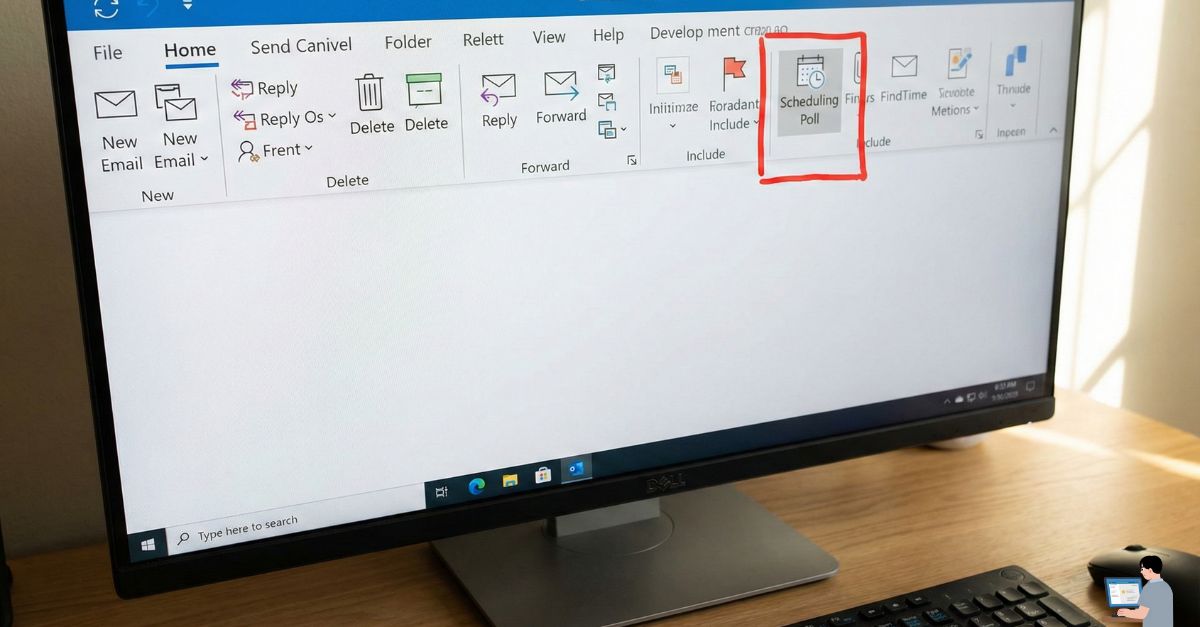
- Step 3: Select 3-4 slots. Outlook inserts a neat voting table into the email.
- Result: When everyone votes, it automatically sends the invite.
2. Microsoft Copilot (The AI Way)
If you have Copilot, just type in the email sidebar:
“Look at my calendar and propose 3 times next week for a 30-min call with Sarah.”
It will draft the email for you instantly.
Comparison Table: Best AI Tools for 2026
| Tool | Cost | Best For | “Human” Factor |
| Reclaim.ai | Free / Paid | Solo Users (Defends time) | Medium |
| Motion | $19/mo | Power Users (Project Mgmt) | Medium |
| Clara | High ($99/mo+) | Executives (CC in email) | High (100% Human-like) |
| Clockwise | Free / Paid | Teams (Optimizes meetings) | Low |
| Outlook Poll | Free | Corporate (Safe & Native) | Low |
Hidden Gem: Square Appointments is free for solo users and looks very professional if you run a service business (consulting, hair, therapy).
Pro Tip: The “Status” Upgrade
If you want to impress a high-value lead, never make them work to meet you. Use the “Two-Option + Link” method.
Copy This Script:
“I’d love to chat. I’m free Tuesday at 2 PM or Thursday at 10 AM EST.
If neither of those works, feel free to grab any slot that suits you here: [Link].
Looking forward to it.”
Why this works:
- Polite: You offered specific times (showing you checked your calendar).
- Efficient: You gave them a backup option (the link) just in case.
- Status: It frames the link as a “convenience for them,” not “laziness by you.”
Video Insight: Motion vs. Reclaim Review
Not sure which tool to pick? Watch this breakdown of the two biggest AI schedulers to see which one fits your workflow.
(Video Title: Motion vs Reclaim.ai – Which is Best for You?)
FAQ: Real User Queries Answered
Q: Can AI schedule meetings without human input?
A: Yes. Tools like Clockwise can automatically move your internal meetings to create “Focus Blocks” without asking you. However, for client meetings, it usually requires at least one email trigger.
Q: How do I schedule a Google Meet link automatically?
A: In your scheduling tool (Calendly, Reclaim, Motion), go to Integrations > Video Conferencing and select Google Meet. Now, every time a meeting is booked, the AI will generate a unique Meet URL and paste it into the calendar invite automatically.
Q: Is there a free AI schedule maker for students?
A: Yes. Reclaim.ai is free for basic use and is perfect for students. You can tell it: “I need 2 hours to study for Biology every week,” and it will automatically find empty slots in your calendar to place that study time, moving it around if your classes change.
Final Verdict: Stop Playing Ping-Pong
- For Clients: Use the “Two-Option + Link” method.
- For Yourself: Use Reclaim.ai (Free) to defend your time.
- For The Team: Use Outlook Polling to find consensus without the headache.